 Слове́нія
 Ірла́ндія
 Іспа́нія
 Іта́лія
 Австралія
 Австрія
 Албанія
 Аргентина
 Бельгія
 Болгарія
 Боснія і Герцеговина
 Бразилія
 Греція
 Данія
Данія
 Естонія
 Канада
 Колумбія
 Ла́твія
 Литва́
 Люксембу́рг
 Мексика
 Молдова
 Нова Зеландія
 Норвегія
 Нідерланди
 Німеччина
 По́льща
 Португа́лія
 Південна Африка
 Північна Македонія
 Руму́нія
 Сербія
 Слова́ччина
 Сполучене Королівство
 Сполучені Штати Америки
 Туреччина
 Уго́рщина
 Україна
 Фра́нція
 Філіппіни
 Фінля́ндія
 Хорватія
 Че́ська Респу́бліка
 Чилі
Чилі
 Чорногорія
 Шве́ція
 Швейцарія







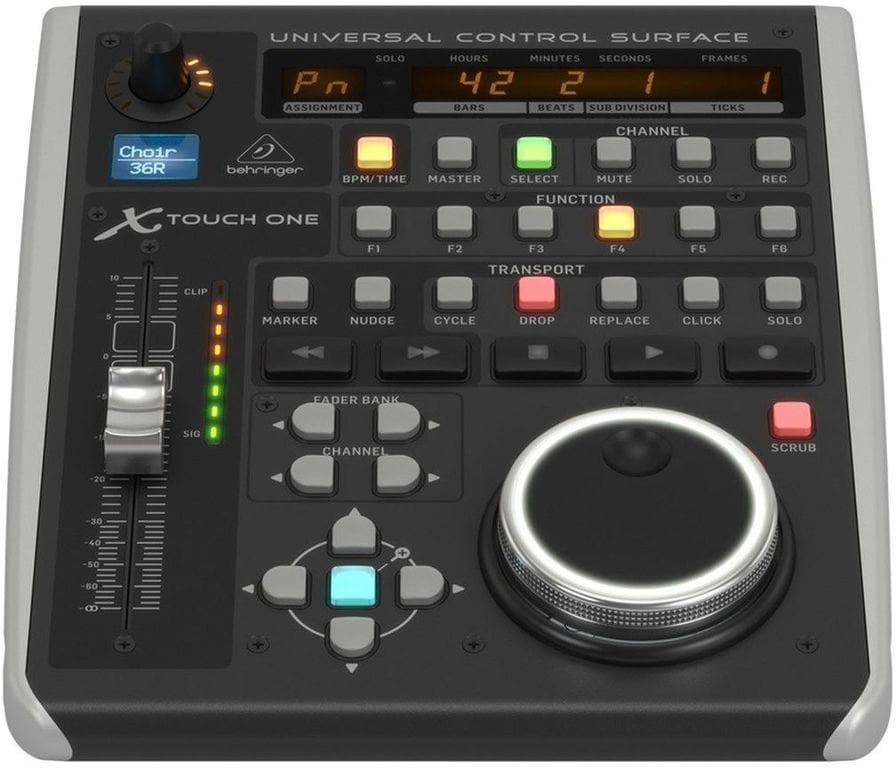
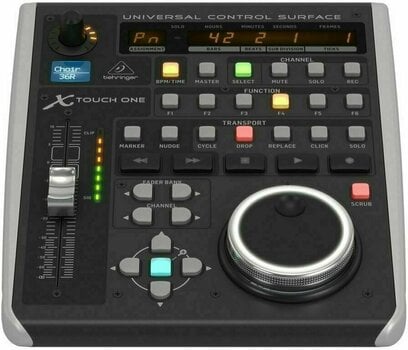
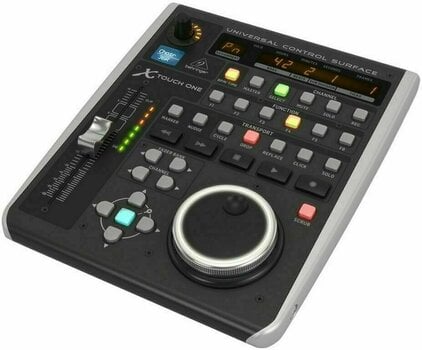
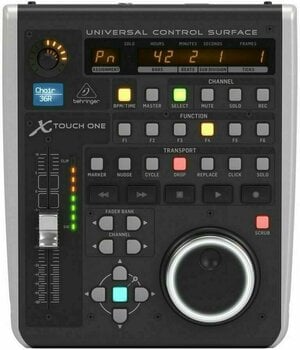
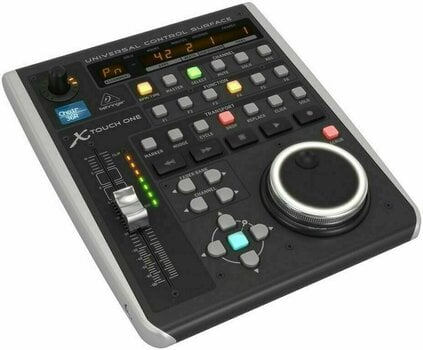
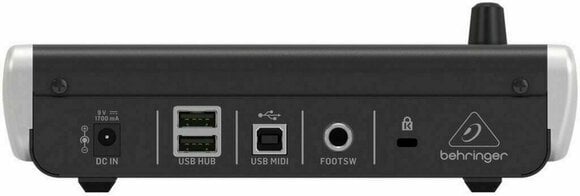
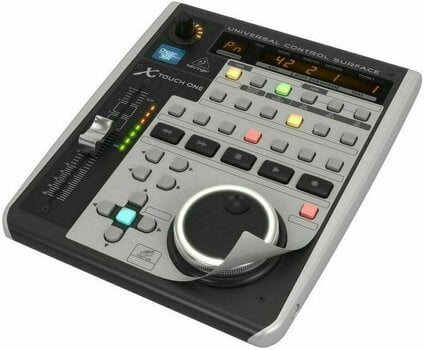

Behringer X-TOUCH ONE Драйвер DAW
The Behringer X-TOUCH ONE is a compact universal DAW control surface that puts hands-on mixing back at the center of your studio workflow. With a touch-sensitive 100mm motorized fader, 34 illuminated buttons, and an LCD scribble strip, it delivers tactile control over every major DAW via HUI and Mackie Control protocols. A built-in 2-port powered USB hub and footswitch input make it a versatile hub for any recording setup.
- Touch-sensitive 100mm motorized fader for writing precise automation that mirrors on-screen levels in real time
- HUI and Mackie Control protocol support with labelled DAW templates for instant integration
- 34 illuminated buttons, rotary encoder with LED collar, and 8-segment LED meter for instant visual feedback
- 2-port powered USB hub plus dedicated footswitch connector for expanded studio control
Compact DAW Control Surface for Hands-On Mixing
The Behringer X-TOUCH ONE brings tactile, console-style control to any home or project studio without filling the desk. Built around a single touch-sensitive 100mm motorized fader, this universal control surface lets producers write volume and pan automation by hand while watching the fader mirror every on-screen move in real time. The X-TOUCH ONE is a smart entry point for engineers who want physical control over their DAW without committing to a full console footprint.
Why This Model Stands Out in Its Category
What separates this unit from generic MIDI controllers is its deep protocol support and pre-mapped DAW templates. Labelled overlays for every major DAW ship in the box, so the buttons match the function printed on the panel the moment it is plugged in. A "Planet Earth" auto-ranging switching power supply (100–240 VAC) means the controller travels easily between studios and live rigs without a voltage converter.
Key Specifications for Studio Integration
Class-compliant USB connectivity means no driver installation is required on Mac or Windows, and the hardware is recognized instantly on connection.
- Motorized Fader: 100 mm touch-sensitive — writes and plays back DAW automation with real-time physical feedback
- Protocol Support: HUI and Mackie Control — works with virtually every major DAW out of the box
- Controls: 34 illuminated buttons, rotary encoder with LED collar, jog/shuttle wheel — direct access to transport, mute, solo, and pan
- Display: LCD scribble strip, 8-segment LED meter, 7-segment time code — at-a-glance track and level feedback
- Connectivity: 2-port powered USB-A 2.0 hub, 1/4" TS footswitch input — expands the desktop without extra adapters
Ideal Users for the X-TOUCH ONE
The X-TOUCH ONE is the right choice for project-studio producers and home recording engineers who want hands-on fader control without the footprint or price of a full console. Solo artists tracking vocals or bass benefit from the motorized fader's ability to ride levels smoothly while staying focused on the performance. Engineers working across multiple DAWs will appreciate the included overlay templates and instant protocol recognition.


Висота (см)
6,5
Ширина (см)
23,3
Глибина (см)
19,6
Bага
1,5 kg
Країна походження
Китай


Усі відгуки залишають перевірені клієнти, які вже купували у нас товари в минулому.
AI-підсумок відгуків
На основі кількості відгуків: 81
Переваги
- Ефективність робочого процесу: Клієнти повідомляють про значно швидше мікшування та навігацію в своїх DAW, що робить завдання ефективнішими та приємнішими.
- Сумісність з DAW: Контролер безперебійно працює з популярними DAW, такими як Cubase, Ableton Live, Reaper та Waveform, часто з легким налаштуванням та розпізнаванням.
- Якість моторизованого фейдера: Моторизований фейдер – це видатна особливість, яку описують як швидку, тиху, приємну у використанні та чуйну.
- Варіанти налаштування: Користувачі цінують можливість перепризначення кнопок та функцій, особливо в режимі MIDI, перетворюючи його на універсальний пристрій гарячих клавіш.
- Компактний розмір: Його невеликі габарити роблять його ідеальним для домашніх студій з обмеженим простором.
Недоліки
- Відсутність детального посібника: Кілька користувачів відзначили відсутність вичерпного або локалізованого посібника користувача, що ускладнює початкове налаштування та розуміння складних функцій.
- Проблеми з фізичною стабільністю: Деякі клієнти повідомляли, що пристрій може хитатися або бути нерівним на рівних поверхнях, що вимагає використання прокладок або регулювання.
- Призначення функціональних кнопок: Налаштування функціональних кнопок «з коробки» може бути проблематичним з деякими DAW, такими як Logic Pro, що вимагає ручного призначення.
Що повторюють клієнти
Підсумок
Документи
Інструкції з використання
Інформація про виробника
Інструкції з техніки безпеки
Будь ласка, звернися до посібника користувача, щоб отримати конкретні інструкції з техніки безпеки для цього виробу


